What is 4R photo size in inches and mm?
4R is 4×6 inches, which is about 102×152 mm (also sold as 10×15 cm). It is a standard shop print size, not an official passport dimension by itself.
4R is the everyday photo print most shops call 4×6. Use it as a 4R ID photo maker: tile several identical passport or ID photos on one sheet, print once, and cut.
4R photo size is 4×6 inches (about 102×152 mm). It is the same sheet many kiosks label as 4×6, 10×15 cm, or simply “standard print.”
AI Images Studio uses that sheet as a 4R photo layout: several copies of your ID or passport photo on one high-resolution page, usually with cut guides, so one shop order covers spare prints.
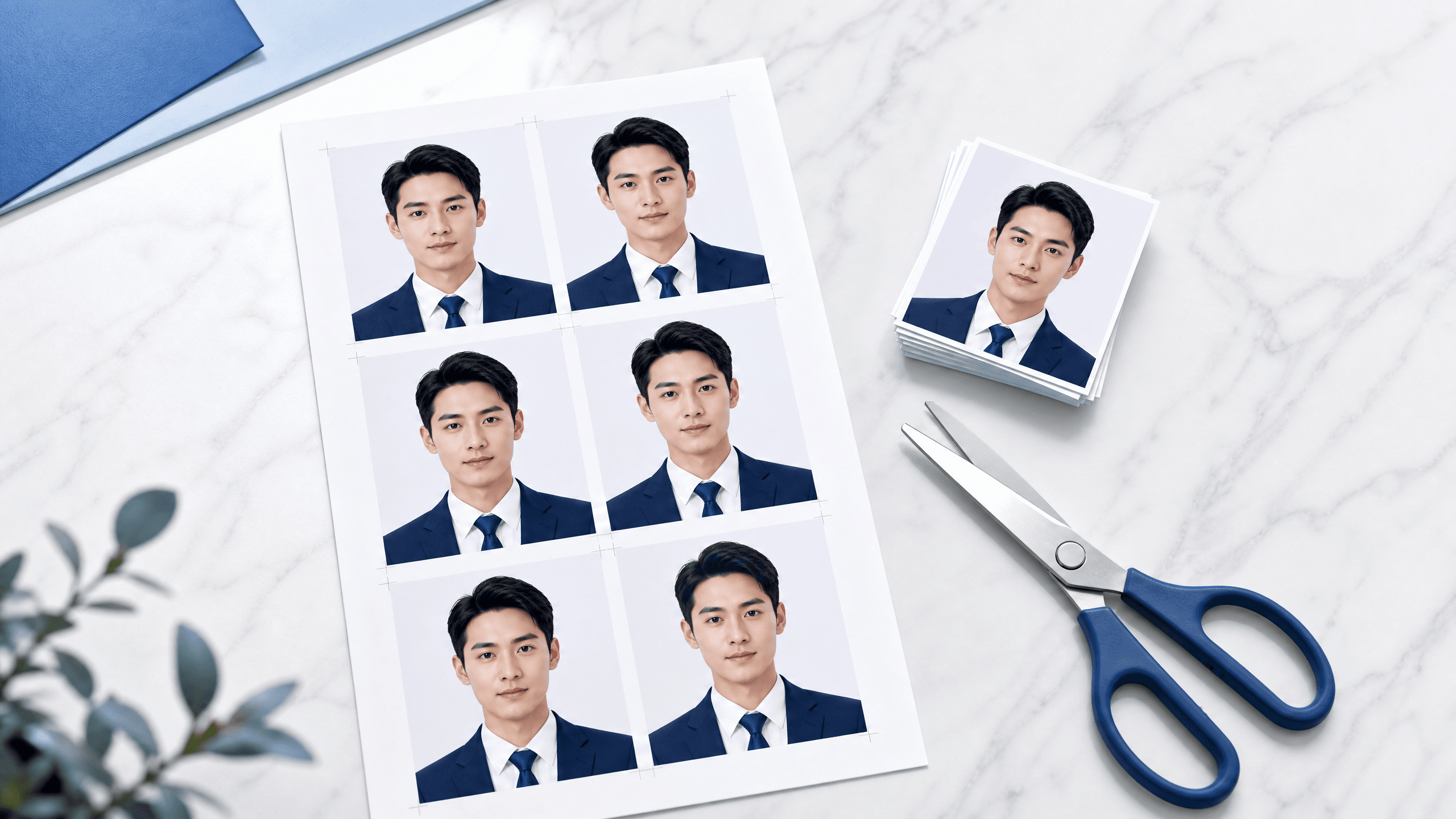
A 4R sheet is useful for any small official portrait: employee badges, student IDs, visa copies, and country-specific cards — not just passports.
If you need several identical prints (forms that ask for two photos, family applications, or a spare in the drawer), a 4R ID photo maker is cheaper than ordering each photo as a separate 2×2 print.
Upload a clear photo, choose the ID or passport size you need, and generate a clean preview.
Create a 4R photo layout that tiles copies on one 4×6 inch sheet. Preview spacing before you pay.
Save the file at print resolution — typically 300 DPI — not a screenshot of the preview.
At a kiosk choose 4×6 / 4R / 10×15 cm. At home use photo paper and turn off “fit to page.”
Trim along the guides. Measure one copy against your application’s required size before you submit.
Printed millimetres can vary slightly with printer margins. Measure a test print. AI Images Studio helps you prepare a 4R layout; it does not guarantee exact millimetre output on every device.
4R is 4×6 inches, which is about 102×152 mm (also sold as 10×15 cm). It is a standard shop print size, not an official passport dimension by itself.
No. 4R is the paper size. Your passport or ID photo is the smaller portrait printed several times on that sheet. After printing, you cut out the individual photos.
Yes. Any small official portrait can be tiled on a 4R sheet — work badges, student IDs, visa copies, and 2×2 IDs — as long as each cut-out matches the size your organisation asks for.
Choose 4×6 inches / 4R / 10×15 cm. Naming varies by region; the dimensions are equivalent.
The 4R layout repeats one photo size across the sheet. Prepare a separate sheet if you need a second dimension.
Prepare your photo and download a 4×6 sheet with several print-ready copies.